

This tutorial focuses on detecting changes made by bypassing the approved Terraform process (e.g. a developer running
terraform apply directly from their machine). Detecting is a separate concern covered by Terraform drift detection.Prerequisites
- Install Terraform.
- Install Snyk CLI (optional — needed for the security scan step).
- Create a Kosli account if you do not have one.
- Install Kosli CLI.
- Get a Kosli API token.
Setup
Create a Kosli flow
Create a Kosli flow to represent the approved process for Terraform changes. Using keeps things simple for this tutorial:Make and track an authorized change
In production, an authorized change goes through CI. In this tutorial, you run those commands locally to simulate the process.
This tutorial uses a local state file for simplicity. In production, the state file is typically stored in cloud storage (e.g. AWS S3) and you would download it after the authorized change. Note that
--build-url and --commit-url are set to placeholder URLs here — in CI these are set automatically.Monitor the state file
To detect unauthorized changes, Kosli monitors the state file for changes by tracking it in an environment. Create aserver environment:
In production, configure environment reporting to run periodically or on state file changes. See reporting AWS environments if you use S3 as your Terraform backend.
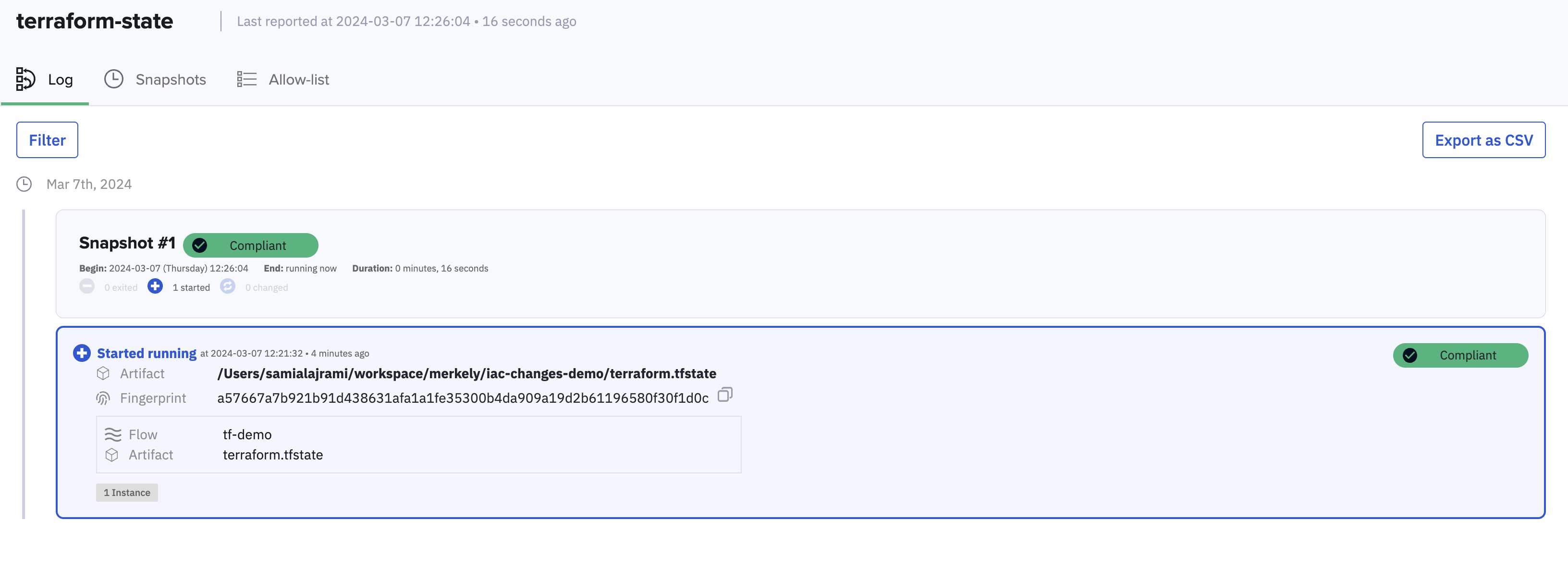
FLOW column shows tf-tutorial — Kosli has provenance for this change. In the Kosli UI under Environments > terraform-state, the artifact shows as compliant.
Introduce an unauthorized change
Simulate an unauthorized change by modifying line 6 ofmain.tf — change random_pet_result to random_pet_name — then apply directly without going through the approved process:
In production this step is not needed — environment reporting runs automatically on change or on a schedule.
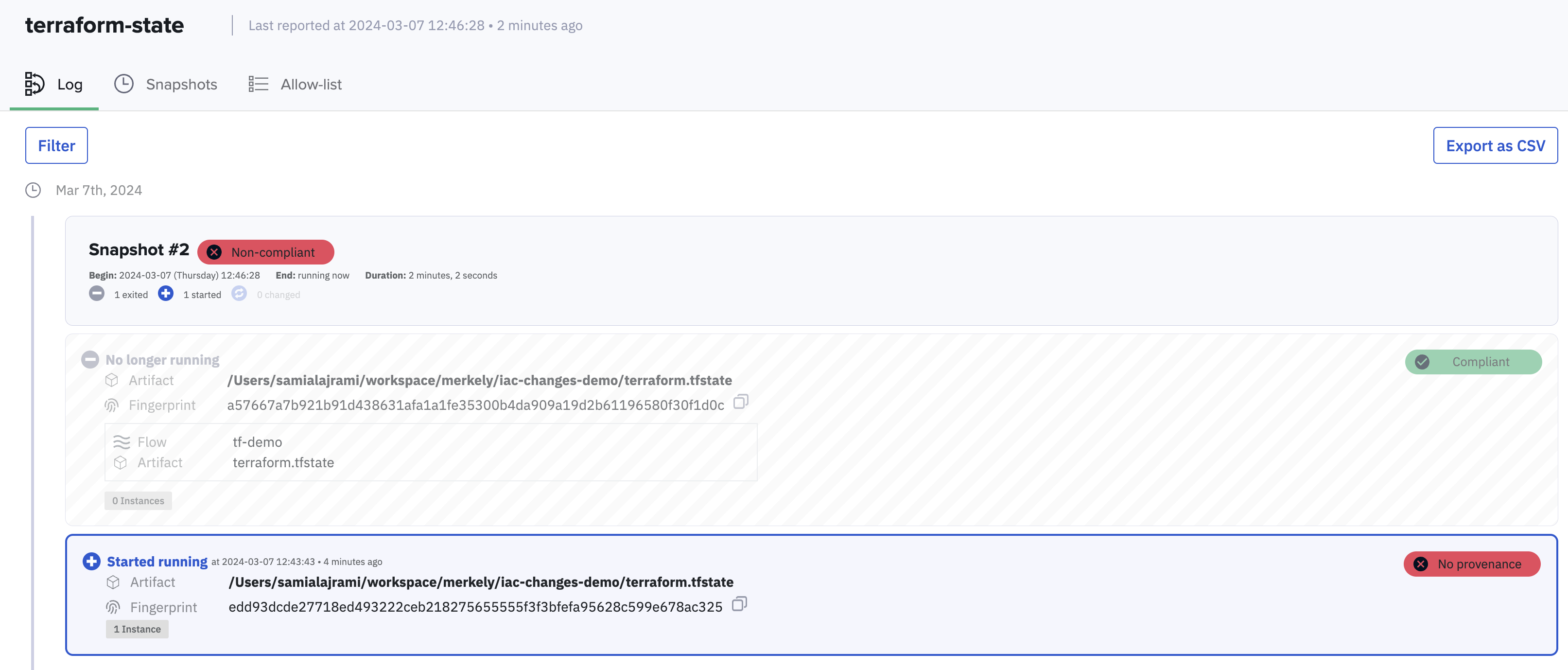
FLOW is now N/A — Kosli has no provenance for this state file fingerprint. It was not attested through any known flow, which means the change was unauthorized. The environment page reflects this:
What you’ve accomplished
You have used Kosli to track authorized Terraform changes and detect an unauthorized one. By fingerprinting the Terraform state file and comparing it against attested artifacts, Kosli can tell whether a running infrastructure state came from an approved process or not. From here you can:- Set up alerts and automated responses when unauthorized changes are detected using Kosli actions
- See how to report S3-backed state files automatically in the Report AWS environments tutorial